Every UI your AI builds, in one place.
The visual gallery for the HTML, JSX, and SVG files Claude Code, Codex, and Cursor generate — live-previewed, grouped by version, and 100% local.
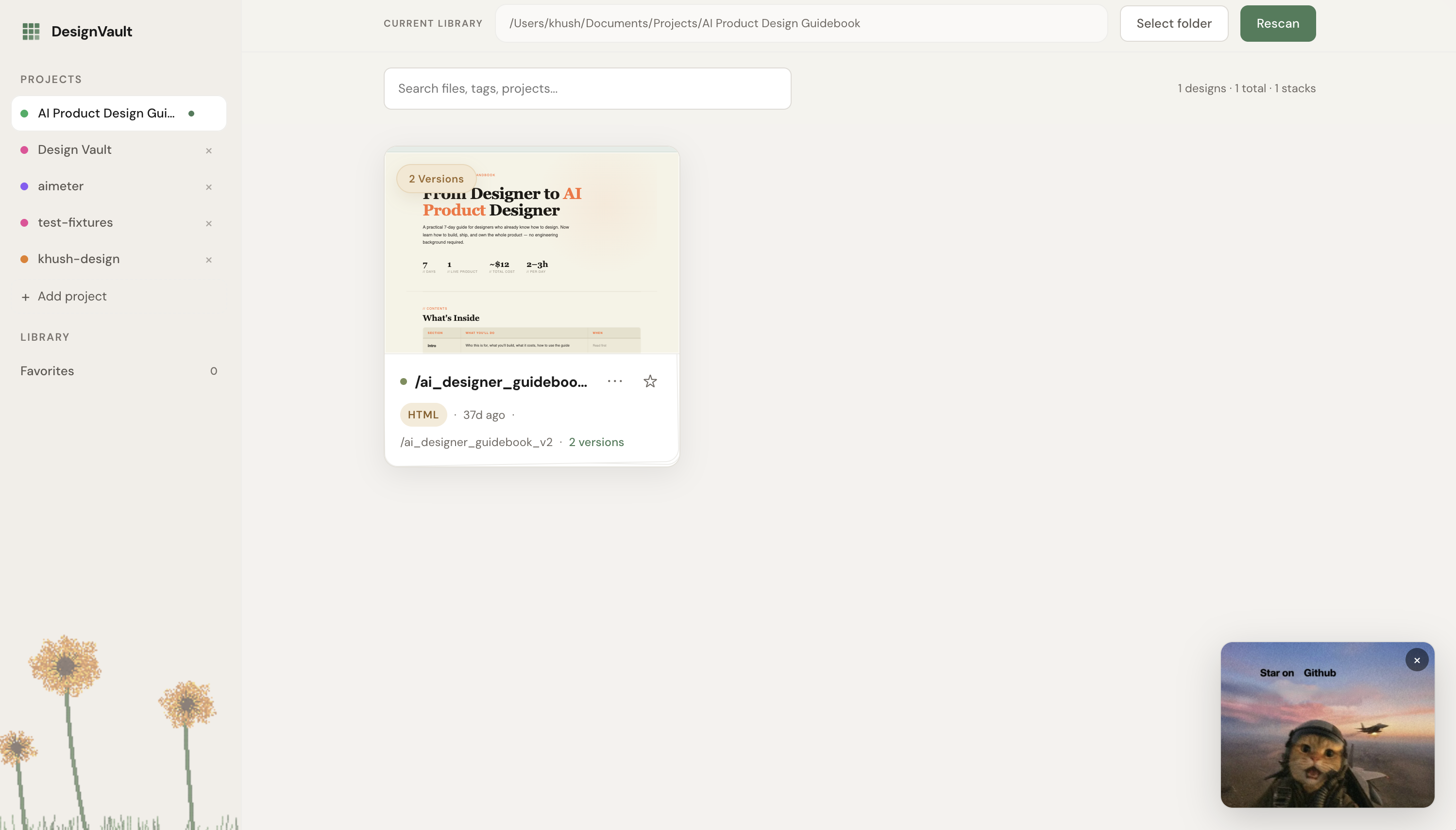
- Live previews for HTML, JSX, TSX, and SVG
- Version stacks, favorites, tags, and notes
- 100% local, free, and open source
You asked Claude for a hero. Then Codex for a variant. Then one more in Cursor.
Now your project looks like this, and the good one is in there somewhere. DesignVault makes the answer visual again.
Preview every file.
Don’t open a single one.
Every HTML, JSX, TSX, and SVG in your project renders as a live card. Scroll your whole UI at a glance instead of clicking through twelve browser tabs to find the one you liked.
Iterations,
grouped automatically.
hero.html, hero-v2, hero-final-ACTUAL and the rest get grouped automatically so you can compare v1 to v7 in one click. Star the winner. Tag the rest. Note why the third one almost made it.
One click back
to your AI.
Found the version worth keeping? Open it in Claude Code, Codex, or Cursor and keep iterating. Favorites, tags, notes, and status stick to the file, so the next session starts where the last one ended.
No account.
No upload. No lock-in.
npx designvault reads the files already in your project and opens a browser tab. Nothing leaves your machine. No API key, no subscription, no sign-in. Open source and free to use on anything.
npx designvault
opens locally in your browser
Your AI just wrote the best UI you’ve ever shipped.
Don’t lose it in a filename.
Run DesignVault, scan the outputs visually, and keep the winner close instead of buried in a folder.